
Problem
Building a browser-like desktop application involves more than rendering web pages. It requires coordinating native windows, WebViews, navigation state, asynchronous events, persistent sessions, downloads, internal protocols, and security boundaries.
Remote websites and privileged application interfaces must not share the same capabilities. A page loaded from the web should never be able to access native commands intended for an internal PDF workspace. Tab creation, restoration, switching, and destruction must also remain synchronized with the native window lifecycle.
Grimley Browser explores these problems through a compact Rust architecture built on native WebView technologies. The project focuses on understanding the boundaries between remote content, internal tools, persistent state, and operating-system resources.
Motivation
Grimley Browser began as an experiment in understanding how browsers coordinate native interfaces with web content.
Rather than attempting to build a complete replacement for established browsers, the project provides a controlled environment for studying WebView lifecycle management, tab restoration, internal application protocols, PDF rendering, local annotations, navigation policies, and privacy-oriented controls.
The project also became an opportunity to investigate a fundamental desktop security question: how can an application expose privileged capabilities to trusted internal interfaces without unintentionally exposing those same capabilities to arbitrary remote pages?
Its current architecture therefore separates ordinary web content from internal PDF workspaces and applies explicit authorization rules to native commands and document access.
Architecture
Grimley Browser is implemented in Rust and uses Tao for native window and event management, Wry for platform WebViews, and WebKitGTK as the Linux rendering backend.
The application is organized around a native controller, a tab manager, persistent session storage, internal pages, a PDF workspace, and the experimental Shield navigation layer.
Each tab has a stable identifier and an explicit lifecycle. Commands and callbacks targeting closed tabs are rejected, while the event loop is explicitly awakened when new IPC commands arrive. Session restoration classifies PDF URLs before creating a WebView, preventing duplicate remote and PDF workspaces.
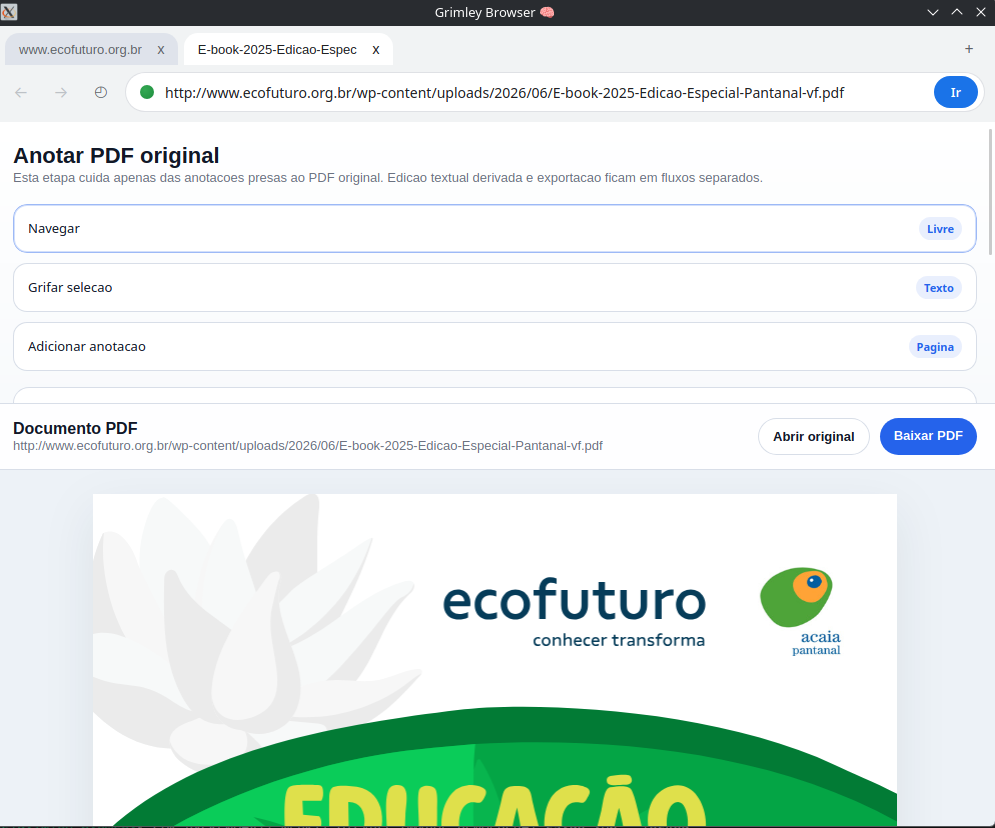
Remote pages use unprivileged content WebViews. Privileged PDF services are available only inside dedicated internal workspaces and are authorized using the workspace origin, tab identifier, document association, and permitted command.
PDF.js is packaged locally rather than loaded from a CDN. PDF documents and annotations are delivered through restricted internal endpoints. Downloads use explicit connection and operation timeouts, size limits, MIME and signature validation, controlled redirects, and a bounded in-memory cache.
Settings, history, sessions, and annotations are stored locally as JSON. Writes use temporary files and atomic replacement, while malformed files are preserved through recoverable backups instead of being silently overwritten.
Technical decisions and case study
The current implementation was validated on Fedora KDE through X11/XWayland.
The final automated suite completed 59 Rust tests and 7 JavaScript security tests. Formatting, compilation, Clippy with warnings treated as errors, and repository consistency checks all passed.
A reproducible graphical smoke test completed ten consecutive cycles and 21 application launches. Each cycle exercised internal pages, local web content, PDF rendering, repeated tab switching, different tab-closing orders, application shutdown, and session restoration.
The PDF workflow was tested with a synthetic document and isolated temporary data. The validation covered annotation creation, editing, deletion, persistence after closing a tab, and restoration after restarting the application.
Security regression tests also confirmed that annotation content resembling a closing script tag remains literal data instead of executable JavaScript.
These results provide evidence for the tested Fedora environment, but they do not establish production readiness or universal compatibility across operating systems, drivers, and WebView backends.
Technologies
- Rust
- Wry
- Tao
- WebKitGTK
- PDF.js
- Reqwest
- Serde
- HTML
- CSS
- JavaScript
Limitations
- Native Wayland support is not available
- Linux currently requires X11 or XWayland
- Validated primarily on Fedora KDE
- Authenticated PDFs may not inherit WebView sessions
- No complete download manager
- No bookmarks or address-bar search
- Shield provides limited experimental protection
- Not intended for everyday production use
Screenshots